Choosing the right Office Chairs can change how your workday feels, from the first email to the final meeting. Comfort matters, but lasting support matters more. A padded seat may feel pleasant initially, yet poor posture can become noticeable after several hours. This guide examines chairs through practical comfort, ergonomic design, adjustability, and everyday durability. It considers seat depth, lumbar support, armrest movement, backrest tension, and breathable materials. Small details matter. A seat edge pressing behind your knees can become surprisingly distracting.
The discussion draws on ergonomic guidance and realistic workplace experience. I focus on features that users can test, not impressive claims alone. A useful chair should support different body shapes, desk heights, and working habits. Still, no chair suits everyone perfectly. Personal comfort remains difficult to measure. I have also learned that a chair can feel firm at first and become more comfortable after proper adjustment. The reverse can happen too. Soft cushioning may lose support over time. Each section will compare strengths, weaknesses, ideal users, and possible compromises. Expect practical observations, clear selection advice, and a careful look at value. The most expensive option is not automatically the best choice. A reliable chair should help you work with fewer distractions and less physical strain. That is the real standard.
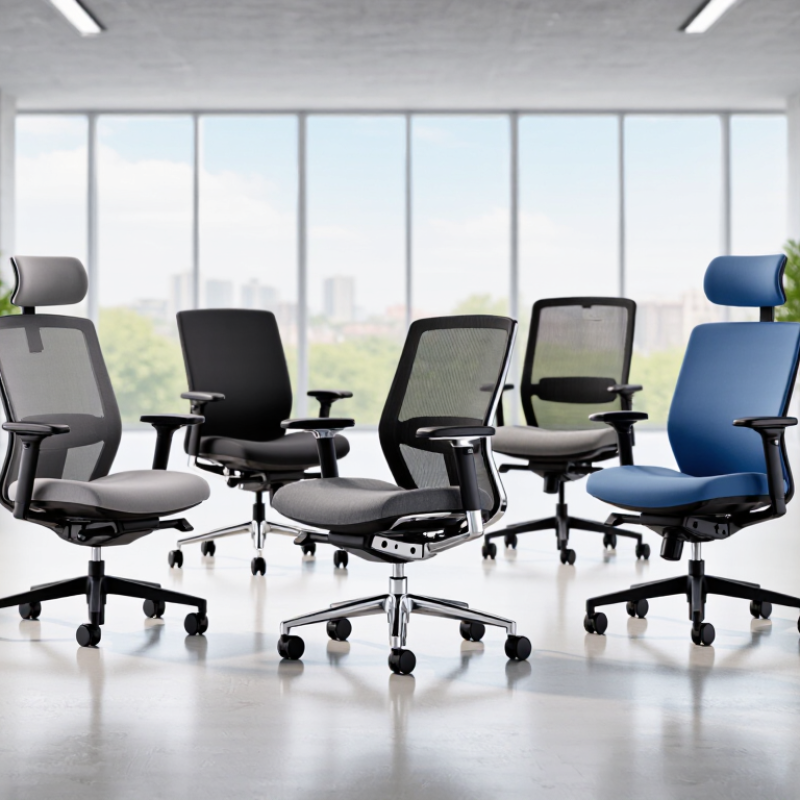
A comfortable office chair supports your body without making you feel trapped. The seat should let both feet rest flat on the floor, with two or three fingers of space behind your knees. A firm, slightly cushioned seat usually works better than a soft cushion that collapses after an hour. Fit matters more. People with shorter legs may need adjustable seat depth, while taller users often need a higher backrest and deeper seat.
Lumbar support should meet the natural inward curve of your lower back, not press sharply against it. Adjustable height, armrests, and recline tension help you align your shoulders, elbows, and hips. Your elbows should remain near your sides when typing. The armrests should not force your shoulders upward. A breathable back can reduce heat during long work sessions, especially in warm rooms. Small details matter.
In practical use, even a well-designed chair cannot fix poor habits. Stand, walk, or change position regularly. Listen to your body. If numbness, persistent pain, or pressure develops, adjust the chair and seek qualified professional advice when needed. No chair suits everyone. I once preferred a very firm seat, then noticed it created pressure after several hours. That experience changed my view: comfort should be tested over time, not judged during a quick showroom sit. Reliable guidance should consider body size, desk height, daily workload, and personal movement patterns.
An ergonomic office chair improves posture through adjustment, not padding alone. In my desk setup, the seat height lets my feet rest flat while my knees stay near a right angle. This reduces pressure behind the thighs. Seat depth matters too. I leave two fingers of space between the seat edge and my knees. The lumbar support should meet the lower back without forcing it forward. Too much support becomes distracting.
Small changes matter. Adjustable armrests keep my shoulders relaxed while typing. They should let my elbows remain close to my body. A stable recline mechanism supports brief movement instead of locking me upright all day. Moderate tilt tension is useful, especially when reading documents or joining long calls. Breathable material also helps during warm afternoons. Comfort is not only softness.
My experience is imperfect. I often set the chair correctly, then slide forward after an hour. That habit weakens the benefit of good adjustments. Ergonomics professionals commonly recommend changing posture throughout the day rather than chasing one “perfect” position. A monitor at eye level, a keyboard close to the body, and short standing breaks work with the chair. The chair cannot fix every desk habit. It can, however, make better habits easier to maintain.
| Chair type | Useful ergonomic features | Posture and comfort benefits | Points to check before choosing | Best suited to |
|---|---|---|---|---|
| Adjustable ergonomic task chair | Adjustable seat height and depth, lumbar support, backrest recline, and adjustable armrests. | Allows the chair to be fitted to the user and desk. A well-adjusted seat can support the lower back and help keep feet supported. | Check that the seat depth leaves space behind the knees and that the armrests do not prevent the chair from moving close to the desk. | People who spend extended periods at a desk and want several adjustment options. |
| Mesh-back task chair | Breathable mesh back; comfort and support depend on the frame, lumbar design, seat, and available adjustments. | The open back material can allow more airflow than a solid upholstered back. Adjustable support can help accommodate different sitting positions. | Check for pressure points, adequate lumbar support, and a seat cushion that remains comfortable during your typical work session. | People who prefer a ventilated back and a lighter-feeling chair. |
| Upholstered ergonomic chair | Padded seat and back, ideally combined with adjustable seat height, lumbar support, and recline. | Padding may feel comfortable, while adjustable support helps the user maintain a supported sitting position. | Consider seat firmness, fabric care, and heat retention. Padding alone does not ensure good ergonomic fit. | People who prefer a cushioned seat and back. |
| Kneeling chair | Angled seat with a padded shin support; some models allow seat-height or angle adjustment. | Changes the distribution of body weight and sitting position. It is an alternative posture, not a guaranteed way to improve posture. | Try it gradually and check pressure on the shins and knees. It may not suit everyone or replace a standard chair for a full workday. | People seeking a different sitting position for shorter periods or as part of posture variation. |
| Saddle chair | Raised, saddle-shaped seat, commonly paired with height adjustment and a wheeled base. | The seat encourages a more open hip angle and allows easy movement around a workstation; comfort varies by user and task. | Confirm that the height works with the desk and that the seat shape does not create discomfort. A footrest may be needed at a raised workstation. | People who need to move frequently between nearby work areas or prefer a higher sitting position. |
| Active-sitting stool | Compact seat, sometimes with a tilting or flexible base; support and stability vary by design. | Can encourage small changes in sitting position, but does not provide the same back support as a chair with a backrest. | Check stability, seat height, and comfort. It may be better as an occasional seating option than as the only chair for prolonged desk work. | People who want a compact seat for brief tasks or to alternate with a supportive chair. |
Fit varies by person and chair model. For a practical setup, adjust the seat so your feet are supported, keep the screen and keyboard within comfortable reach, and change position regularly.
The best office chair depends on the work environment, not only on body size. A task chair suits focused desk work, with adjustable seat depth, lumbar support, and armrests that keep shoulders relaxed. For shared offices, choose a chair with quick controls and a durable, easy-clean surface. Small adjustments matter.
Hybrid workers need flexibility. The U.S. Bureau of Labor Statistics reported that 26.5% of employed people worked from home during 2023. A home-office chair should fit the desk, support long sessions, and avoid bulky fixed arms. A compact model works better in a bedroom corner. It should still provide stable movement and firm lower-back support.
Collaborative spaces require different priorities. A lighter chair allows easy movement between tables, while a conference chair can favor short-term comfort over all-day adjustment. Sit-stand workstations pair well with stools, but stools should not replace full back support for extended tasks. The World Health Organization’s 2020 guidelines advise reducing sedentary time, yet they do not endorse one chair type. That distinction matters. The chair cannot repair every poor work habit.
For quality screening, ANSI/BIFMA X5.1 covers stability, durability, and safety tests for general-purpose office chairs. A 2022 review in Applied Ergonomics also linked adjustable workstation features with better comfort outcomes. These findings guide selection, not certainty. Personal fit still wins. Test the chair with your actual desk, keyboard, and daily posture. Your first choice may need revising.
Comfort depends on fit, not appearance. The World Health Organization reports that 1.71 billion people live with musculoskeletal conditions worldwide. A suitable chair cannot solve every problem, but it can reduce avoidable pressure during long work sessions.
Compare materials by heat, friction, and maintenance. Mesh usually improves airflow and feels cooler against the back. However, loose mesh may lose tension over time. Fabric feels warmer and can soften contact points, but it may retain dust and spills. Leather-like surfaces clean easily, though they can feel sticky in warm rooms. Seat foam matters too. Dense foam often supports longer sitting, while very soft foam may compress unevenly. Test the front edge behind your knees.
Adjustability deserves more attention than upholstery. The U.S. Occupational Safety and Health Administration recommends a chair with adjustable height, back support, and armrests for computer workstations. Set your feet flat, with knees near hip level. The seat depth should leave roughly two to three fingers behind your knees. Lumbar support should meet your lower back, not push aggressively. Armrests should let your shoulders relax. They should not lift them.
Small changes matter. The U.S. Bureau of Labor Statistics recorded 27.2 musculoskeletal-disorder cases per 10,000 full-time workers involving days away from work in 2022. That figure does not prove a chair caused an injury. Still, it supports careful workstation choices. Try a chair for several days, not five minutes. Personal preference remains imperfect. My own ideal setting changed after adjusting desk height.
Qualitative comparison of common material characteristics on a 1–5 scale, where 5 is more favorable. Actual performance varies by chair design and construction. Material alone does not determine ergonomic support: look for adjustable seat height, lumbar support, and armrests.
Choosing an office chair starts with your body and workday, not its appearance. The U.S. Bureau of Labor Statistics reported 2.6 million nonfatal workplace injury and illness cases in private industry in 2023. That figure is not chair-specific, but it underlines why everyday work conditions deserve attention.
Your feet should rest flat, with knees near hip level. A chair that feels plush for five minutes may still leave pressure behind your thighs after an hour.
Tips: Sit before buying, if possible. Adjust the seat so two or three fingers fit between its edge and the backs of your knees. Check that the backrest supports your lower back without pushing you forward. Small details matter.
Match the chair to your tasks: frequent leaning or reaching calls for a stable base and easy adjustments; long seated sessions benefit from breathable fabric and a seat with enough depth.
OSHA workstation guidance also recommends fitting the chair to the worker and keeping frequently used items within easy reach. No chair solves every ache. That part is easy to overlook.
Recheck your posture during the day, and change position regularly; even a well-fitted chair cannot replace movement.
A comfortable chair supports your body without making you feel trapped. Your feet should rest flat on the floor. Leave two or three fingers behind your knees. A firm, slightly cushioned seat may support you better than collapsing foam. Fit wins.
Lumbar support should meet your lower back’s natural inward curve. It should not press sharply into your spine. Adjust it until your back feels supported, not pushed forward. Small changes matter.
Shorter users may need adjustable seat depth. Taller users often need a deeper seat and higher backrest. Keep your hips and knees comfortably aligned. Check the fit with your actual desk.
Choose a compact chair that fits your desk and available room. Adjustable height, firm lower-back support, and stable movement are useful. Avoid bulky fixed armrests in tight spaces. A bedroom corner needs careful planning.
Shared-office chairs need quick controls and durable, easy-clean surfaces. Different users should adjust the seat, back support, and armrests easily. A complicated chair may discourage proper adjustment. That matters.
Stools can pair well with sit-stand workstations. However, they should not replace full back support during extended tasks. Change position regularly instead of relying on one posture. Not always.
Mesh usually improves airflow during warm sessions. Fabric can feel softer but may retain dust and spills. Leather-like surfaces clean easily but may feel sticky. Dense foam often supports longer sitting. Materials involve trade-offs.
Set your feet flat and keep your knees near hip level. Your elbows should remain close to your sides. Armrests should let your shoulders relax, not lift them. Lower the armrests if your shoulders feel tense.
Test a chair for several days with your usual desk, keyboard, and posture. A quick showroom sit can hide pressure behind your knees. I once preferred a very firm seat, then noticed discomfort after hours. My earlier judgment was incomplete.
No chair can repair every poor habit. Stand, walk, or change position regularly. Persistent pain, numbness, or pressure deserves attention and possibly qualified professional advice. Listen to your body.
Choosing the right office chair involves more than selecting a comfortable seat. The best Office Chairs provide balanced support for the lower back, shoulders, hips, and legs while encouraging a naturally upright posture. Important ergonomic features include adjustable seat height, lumbar support, armrests, backrest angle, and seat depth. Breathable materials, suitable cushioning, and a stable base can also improve comfort during long working hours.
Different work environments may require different chair designs, from compact options for home offices to highly adjustable models for busy professional settings. When comparing materials, consider durability, airflow, maintenance, and how the chair feels over extended use. Adjustability is equally important because a chair should adapt to the user rather than force the user into one position. To make the best choice, evaluate your daily tasks, desk height, body proportions, available space, and budget, then prioritize lasting support, ease of adjustment, and overall comfort.

Linkun Furniture